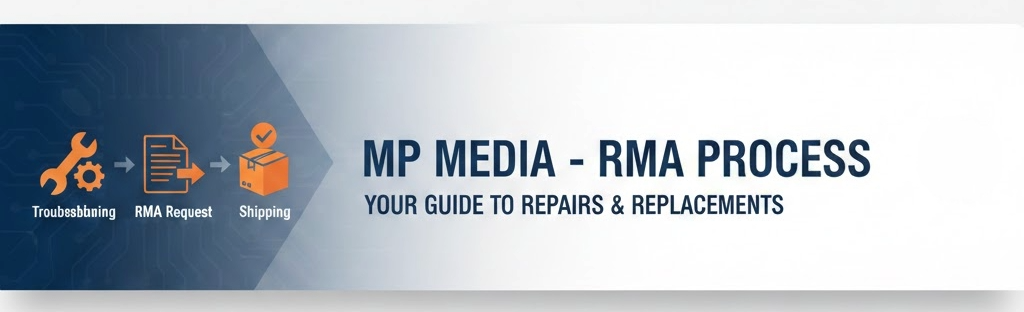
Digital Signage Warranty and RMA Process
Message Point Media Display Warranty Policy
MessagePoint Media provides a minimum one year warranty for parts and labor on all devices it provides from the date of equipment delivery. This date may differ from the date of installation, but unless specific contract language exists the delivery date is the effective date. If included in the purchase contract the warranty may be extended to a longer period such as three or five years.
1. Initiating a Warranty Claim
To ensure high uptime and accurate diagnostics for transit displays, all warranty claims must follow a structured initiation process. A Return Material Authorization (RMA) number will not be issued until the following steps are completed.
1.1 Support Ticket Submission
Clients are required to open a unique support ticket for each individual device experiencing an issue. This allows for precise tracking of assets across different transit stations or vehicle fleets. Tickets must be submitted via:
Support Portal:www.mpmedia.tv/support
Email: support@mpmedia.tv
Phone: 1-844-4My-SIGN (for urgent outages)
1.2 Required Documentation
To expedite the RMA process, the following information must be provided at the time of ticket creation:
Device Identity: Model number and Serial Number.
Location: Specific transit station, vehicle ID, or asset tag location.
Detailed Symptom Description: A clear explanation of the failure (e.g., "Partial LED pixel outage," "Blank screen," "Controller connectivity intermittent").
Visual Evidence: High-resolution photos or screenshots showing the physical state of the device and the displayed error.
2. Mandatory Diagnostic & Troubleshooting Phase
Before an RMA number is issued or any hardware is shipped, Message Point Media (MPM) requires a diagnostic phase to confirm the hardware failure. The level of involvement depends on the hardware category.
2.1 Depot Repair Devices (Small/Non-Field Serviceable)
For items such as mobile screens, e-paper displays, and small outdoor units (≤22"), troubleshooting is primarily conducted remotely between MPM and the client.
Diagnostic Verification: MPM Technical Support may require the client to answer specific diagnostic questions regarding the failure state.
Functional Testing: The client may be asked to perform specific software tests, usability checks, or power-cycling to rule out configuration or environmental issues.
RMA Issuance: If these tests do not resolve the issue, MPM will issue an RMA number for the unit to be shipped to the MPM depot.
2.2 Wayside Displays (Large/Field-Serviceable)
For LED and LCD displays larger than 22", MPM utilizes a collaborative troubleshooting model to minimize downtime and avoid the logistical cost of shipping large-format displays.
Technical Collaboration: MPM Technical Support will work directly with the end-client’s designated technical representative (IT or maintenance staff).
Technical "Hands" Requirement: The client’s representative must provide the physical "hands" on-site to perform component-level troubleshooting as directed by MPM.
Component-Level Repair: If a specific failed component is identified, MPM will provide the replacement part for the client’s staff to install.
Escalation: If remote collaboration cannot resolve the issue, MPM may dispatch a technician or request the unit be returned to the depot.
3. General Warranty Exclusions
The hardware warranty covers failures due to defects in materials or workmanship during normal usage. The following conditions will result in a warranty claim being denied or the warranty being voided entirely:
Lack of Preventative Maintenance: Failure to perform documented regular maintenance, such as the cleaning or replacement of air filters, which leads to thermal stress or hardware degradation.
Cosmetic Damage: The warranty does not cover scratches, dents, or other cosmetic issues that do not affect the functionality of the display.
Environmental & Usage Factors: Damage due to improper handling, negligence, accidents, power surges, or use outside of MPM’s specified guidelines.
Acts of Nature & Vandalism: Damage caused by lightning, floods, earthquakes, fires, or intentional vandalism.
Unauthorized Modifications: Damage resulting from unauthorized repairs, modifications, or services not specifically directed or authorized by MPM.
Logistical Failures: Products shipped without a valid RMA number, or those damaged in transit due to improper packaging.
Software & Configuration: Issues related to third-party software, applications, or user-defined configuration errors.
Specific Product Designations: Any display sold as “As-Is,” “Factory Reconditioned,” or “Refurbished”
3.1 LED Lifespan and Luminous Decay
Digital signage hardware utilizing LED technology (including direct-view LED and LED-backlit LCDs) is subject to a natural phenomenon known as Luminous Decay. This is the gradual and inherent dimming of the light-emitting diodes over the course of their operating lifespan.
Technical Explanation
LEDs do not typically "burn out" like traditional incandescent bulbs; instead, they experience a slow degradation of the semiconductor material and the phosphor coating. This degradation is accelerated by:
High ambient operating temperatures.
Continuous operation at maximum brightness settings.
The cumulative hours of the duty cycle.
Operational Standards
Most Message Point Media (MPM) products are engineered for a 50,000-hour Continuous Duty Cycle.
Industry Standard Performance: Within this 50,000-hour period, it is normal for a display to experience a gradual reduction in brightness. This dimming is considered a characteristic of the technology and not a defect in materials or workmanship.
Post-Duty Cycle Expectations: Reaching the 50,000-hour threshold does not signify an immediate hardware failure. The display will continue to function; however, it may continue to dim beyond a level acceptable for high-ambient public transit environments.
Warranty Exclusion
The warranty does not cover:
The natural and gradual reduction in brightness (Luminous Decay) over time.
Replacement of units that have reached or exceeded their 50,000-hour rated duty cycle but remain functional.
Brightness variance between a newly installed unit and an existing unit that has already been in service for a significant portion of its lifespan.
3.2 Pixel Defect Policy and Warranty Eligibility
In the display industry, the presence of a limited number of sub-pixel anomalies is considered a standard byproduct of complex semiconductor manufacturing processes and does not necessarily constitute a defective panel. Warranty eligibility for pixel defects is determined by the specific density and type of defects based on the display technology.
3.2.1 Full Matrix Color LED (Direct View)
Because LED displays are comprised of thousands of individual discrete diodes, occasional diode failure is expected over the product's lifespan.
Eligibility Threshold: Warranty repair is triggered only if the number of failed pixels exceeds 0.01% of the total pixel count of the entire sign.
Cluster Rule: Repair is eligible if three (3) or more adjacent pixels fail, creating a visible "hole" in the data.
Measurement: Only "dark" pixels are considered for warranty claims; color shifts in individual diodes that do not affect message readability are excluded.
3.2.2 LCD Panels (High-Brightness & Standard)
LCD technology utilizes a Thin Film Transistor (TFT) layer. Due to the density of these transistors, a "Zero Dead Pixel" policy is not industry standard for B2B transit applications.
Bright/Stuck Pixels: Three (3) or more pixels that remain permanently "on" against a dark background.
Dark/Dead Pixels: Five (5) or more pixels that remain permanently "off" against a light background.
Total Combined: A total of seven (7) combined pixel defects across the entire viewing area.
Cluster Rule: Any cluster of two (2) or more adjacent dead pixels within a 10mm radius is eligible for warranty consideration.
3.2.3 E-Paper (Electronic Ink)
E-paper relies on physical capsules of pigment moving to the surface and behaves differently than light-emissive displays.
Static Voids: A warranty defect is defined as a "void" or "spot" larger than 0.5mm in diameter where the pigment fails to transition.
Pinholes: Individual microscopic pinholes that do not interfere with the legibility of 12-point font text are considered within manufacturing tolerances.
Ghosting: Residual images ("ghosting") are not considered pixel defects; these are typically addressed through software waveform updates or "global clears" and are excluded from hardware warranty.
3.2.4 Policy Limitations
Functionality Impact: Pixel defects that are only visible under a microscope or are outside the active viewing area are not covered.
Manufacturing Tolerance: The appearance of a single dead pixel does not constitute a "Material Defect" under this warranty.
Diagnostic Requirement: Claims for pixel defects must be accompanied by high-resolution macro photography for MPM Technical Support to verify the count and density.
3.3 LED Module Handling and Mechanical Impact
Full Matrix Color LED modules are precision electronic components. Due to the Surface Mount Technology (SMT) manufacturing process used to attach individual LEDs to the Printed Circuit Board (PCB), these components are highly sensitive to mechanical stress.
3.3.1 Impact and Abrasion Damage
When an LED module is not secured within its finished cabinet or protective frame, the diodes—particularly those located along the edges and corners—are vulnerable to impact or abrasion. Even minor contact with a hard surface or another module can cause:
Wire Bond Failure: One or more microscopic gold wires may detach from the PCB or the LED die.
Visual Symptoms: This mechanical failure typically results in "dark" pixels, "stuck color" (one color channel always on), or "missing color" (one color channel fails to fire).
3.3.2 Warranty Status
Exclusion: Damage resulting from improper handling, installation, or contact during maintenance is considered accidental damage and is not covered under the standard hardware warranty.
Out-of-Warranty Repair: While not covered by warranty, LED modules suffering from these mechanical failures are generally repairable through component-level micro-soldering.
Warranty Preservation: Having a module repaired on an Out-of-Warranty basis by an MPM-authorized facility will not void the remaining warranty on the rest of the module's components, provided the repair meets MPM quality standards.
4. Transition to RMA Status
Once the mandatory troubleshooting and diagnostic phase (outlined in Section 2) is completed and a hardware failure is confirmed by Message Point Media (MPM) Technical Support, the existing support ticket will be converted into a Return Material Authorization (RMA).
4.1 RMA Identification
To simplify logistics and tracking for our B2B partners, the RMA tracking number will be identical to the original support ticket number. This number must be referenced in all subsequent communications and clearly marked on all shipping documentation and packaging.
4.2 Required Data for RMA Finalization
If the following information was not fully captured during the initial support ticket opening, the MPM Technician will require it before the RMA is officially authorized:
Hardware Specifications: The exact Model and Generation of the Display.
Asset Identification: The unique Serial Number of the unit.
Proof of Warranty: If the Serial Number is unavailable, the customer must provide the Purchase Date and the corresponding Invoice or Contract information to verify warranty eligibility.
Logistics Contact: If the point of contact for shipping and receiving is different from the technical contact who opened the ticket, full contact details for the shipping representative must be provided.
4.3 Depot Warranty Urgency Assessment
For Depot Warranty claims (Small/Non-Field Serviceable displays), the customer must provide an "Urgency Status" to help MPM prioritize the bench-repair queue:
Spare Pool Utilization: Indicate if the defective unit has already been replaced by a unit from the client’s in-house spare pool.
Public Facing Outage: Indicate if the display is currently "down" on a public-facing basis with no immediate replacement available, creating a gap in passenger information.
4.4 Wayside / Component-Level Urgency Assessment (Large/Field-Serviceable)
For Wayside displays requiring component-level replacement (e.g., LED modules, power supplies, or controllers), the customer must indicate the following:
Spare Component Utilization: Indicate if the failed component has been successfully replaced using the client's on-hand spare parts or harvested from a spare unit.
System Outage Status: Indicate if the display remains non-functional or is operating in a degraded state (e.g., partial LED pixel outage) awaiting the replacement component.
Inventory Replenishment: Clarify if the RMA is being requested primarily to replenish the client’s local spare stock following a successful field repair.
5. Shipping and Packaging Standards
Proper logistics are critical to maintaining warranty integrity. Damage incurred during transit due to improper or insufficient packaging is the responsibility of the sender and may void the warranty for the affected claim.
5.1 Freight Responsibilities & DOA Period
Inbound (To MPM): Message Point Media (MPM) distinguishes between standard warranty claims and Dead-on-Arrival (DOA) incidents:
Standard Warranty (After 90 Days): The customer is responsible for all inbound shipping costs to the MPM depot. MPM will cover return shipping for units confirmed to be defective under warranty.
DOA Period (First 90 Days): If a failure occurs within 90 days of the purchase date, MPM will provide a shipping label or cover the inbound freight costs.
Conditional Reimbursement: If the unit is subsequently found to be non-defective or the issue is non-warranty (e.g., configuration error or physical damage), the customer will be liable to refund these shipping costs to MPM as part of the repair invoice.
Outbound (To Customer): MPM will cover the costs of return shipping to the customer if the repair is confirmed to be covered under warranty.
Non-Hardware/Out-of-Warranty: If the defect is determined to be non-hardware related or excluded from warranty, the customer is liable for all return shipping costs
5.2 Mandatory Packaging Standards
While original factory packaging is preferred, it is understood that it may not always be available. If original packaging is not used, the customer is responsible for the cost of all materials required to meet the following standards:
5.2.1 Electronic Components & PCBs (Controllers/Modules)
ESD Protection: All loose PCBs, controllers, and LED modules must be placed in a sealed Anti-Static (ESD) Bag before being wrapped in cushioning material.
Padding: Items must have a minimum of 50mm (2 inches) of high-density foam or bubble wrap on all sides.
5.2.2 Mobile and Small Displays (≤22")
Double-Box Method: These units must be "double-boxed". The display should be cushioned in an inner box, which is then placed inside an outer shipping box with at least 50mm of void-fill (packing peanuts or foam) between the two boxes.
Screen Protection: A non-abrasive layer must be placed directly against the screen to prevent surface scratching.
5.2.3 Large Wayside Displays & Kiosks (>30kg)
For units that are field-serviceable but require depot return, the following applies:
Palletization Requirement: Any item weighing more than 35kg (approx. 77lbs) must be strapped to a pallet for transport.
Pallet Clearance: The unit must sit in the center of the pallet with at least 100mm (4 inches) of clearance from the pallet edges on all sides to prevent side-impact damage.
Crating & Void Fill: For large outdoor kiosks (up to 200kg), custom wood crating or heavy-duty triple-wall corrugated bulk containers are required. Use appropriate void-fill (expanding foam or contoured foam blocks) to ensure the unit cannot shift during transit.
5.3 Labeling and Handling Instructions
All shipments must be clearly marked with the following:
RMA Number: Clearly visible on at least two sides of the exterior.
Handling Icons: "Fragile," "This Side Up," and "Do Not Stack" (for palletized units).
Documentation: A copy of the RMA authorization form must be included in a packing slip envelope attached to the exterior.
6. Replacement Standards and Warranty Continuity
To ensure the fastest possible resolution for public-facing outages, Message Point Media (MPM) reserves the right to fulfill warranty claims through the repair of the original unit or by providing a replacement unit or component.
6.1 Equivalent or Superior Condition
All replacements provided by MPM—whether individual components or entire display units—will be either new or factory-refurbished. MPM guarantees that any replacement provided will be in equal or superior functional condition to the item being returned.
6.2 Aesthetic and Generational Variations
In the transit environment, displays are subject to the rigors of public use. When a replacement is issued, the following professional standards apply:
Aesthetic Character: If a customer returns a display with normal wear and tear, the factory-refurbished replacement may exhibit an equal but different level of wear (e.g., minor housing scuffs) that does not impact functional performance.
Generational Upgrades: Due to rapid advancements in display technology, MPM may provide a newer generation of hardware if the original model is no longer in production.
Model Substitutions: MPM may substitute a different model of hardware, provided it meets the following criteria:
It can be installed in the same physical location/mounting footprint.
It functions within the same operating parameters (e.g., brightness, power consumption, and connectivity).
6.3 Warranty Term for Replacements
The provision of a replacement unit or component does not reset the original warranty period.
Warranty Carryover: The replacement unit carries the remaining balance of the original 12-month (or extended) warranty from the date of the original purchase.
Replacement DOA Period: Notwithstanding the original warranty length, all replacement hardware is covered by a 90-day DOA period. If the replacement unit fails within 90 days of receipt, MPM will treat the failure as a DOA under the terms defined in Section 5.1.
6.4 Cross-Shipment of Components
To minimize system downtime for critical passenger information displays, MPM may, at its sole discretion, ship replacement components or units before receiving the defective hardware ("Cross-Shipment").
Return Obligation: The end-client is strictly responsible for the return of the defective item to MPM if a return is requested.
Failure to Return: If the defective item is not received by MPM within thirty (30) days of the cross-shipment (or as otherwise specified), the end-client or the Reseller will be billed for the full replacement cost of the item.
Valuation: This cost will be based on current market rates for either a refurbished or new unit, depending on MPM’s stock availability at the time of the cross-shipment.
6.5 Asset Disposal and Abandonment
MPM reserves the right to determine the final disposition of all defective hardware.
Return vs. Disposal: While MPM may request the return of cross-shipped components for forensic analysis or refurbishment, MPM may also instruct the end-client to discard the defective item locally.
Disposal Costs: Any costs associated with the certified disposal or recycling of electronic equipment shall be the sole responsibility of the end-client.
Right of Abandonment: MPM cannot be compelled by the end-client or Reseller to take return possession of any defective part, component, or display if MPM determines that abandonment or local disposal is the more economical choice for the company.
7. General Legal Terms and Conditions
7.1 Governing Law and Jurisdiction
This warranty and all associated RMA procedures shall be governed by and construed in accordance with the laws of the State of Alabama. Any legal action or proceeding arising out of or related to this warranty shall be brought exclusively in the courts of the State of Alabama.
7.2 Limitation of Liability and Exclusive Remedy
Sole Liability: In the event that MPM is unable to repair a display unit under warranty, MPM’s sole and exclusive liability shall be to replace the unit with a new or factory-refurbished unit of equal or superior functional condition.
No Consequential Damages: Both parties agree that neither party shall be liable for any special, punitive, consequential, incidental, or indirect damages. This includes, but is not limited to, lost profits, loss of usage of the signage system, or loss of data.
Warranty Cap: In no event shall MPM’s total liability for any claim exceed the original purchase price of the specific hardware component at issue.
7.3 Reseller and End-Client Obligations (Flow-Down Provisions)
Primary Responsibility: In transactions involving an authorized reseller, the obligations between MPM and the Purchaser (Reseller) flow down to the End-Client.
Agent Authorization: If a Reseller authorizes the End-Client to initiate RMAs or service requests directly, the Reseller remains ultimately responsible for the performance of all terms and conditions.
Financial Liability: The Reseller is held liable for any costs incurred by the End-Client during the RMA process, including but not limited to shipping, non-warranty repair fees, unreturned cross-shipment charges, and evaluation costs.
7.4 Security Interest and Right of Retention (Equipment Lien)
Incurred Costs: To secure payment for services provided, the Purchaser and End-Client agree that MPM retains a security interest (equivalent to a Mechanic’s Lien) on all equipment received for repair.
Scope of Lien: This lien covers all incurred costs including shipping, non-warranty repair labor, diagnostic fees, and the return of any cross-shipped components that were not returned within the required timeframe.
Possession Rights: MPM reserves the right to maintain possession of the equipment until all outstanding balances related to the specific RMA or previous service incidents are paid in full.
7.5 On-Site Service Disclaimer
Depot/Component Standard: This is a Depot-style hardware warranty; the standard warranty does not include on-site labor or de-installation services.
Separate Service Contracts: On-site maintenance is only provided via separate, explicitly contracted service agreements.
MPM Discretion: Any decision to provide on-site service remains at MPM’s sole discretion and does not establish a permanent obligation for future on-site support.
7.6 Force Majeure
MPM shall not be liable for any delay or default in warranty performance if such delay is caused by conditions beyond its control, including but not limited to acts of God, government restrictions, wars, fires, floods, or electrical surges
Appendix A: Quick-Start RMA Checklist
Follow this checklist to ensure your service request is processed without delays. Failure to complete troubleshooting before shipping may result in "No Trouble Found" (NTF) fees.
Step 1: Initiation (All Devices)
Identify the Asset: Locate the Model Number, Generation, and Serial Number.
Gather Evidence: Take high-resolution photos of the failure and any visible damage (including "edge-hit" diode damage).
Open a Ticket: Email support@mpmedia.tv or visit the portal.
Note: One ticket per device is required.
Define Urgency: Indicate if the unit is replaced from spares or if a public-facing outage exists.
Step 2: Branching Diagnostic Path
Path A: Depot Devices (≤22", e-Paper, Controllers)
Respond to Diagnostic Queries: Answer all technical questions from MPM Support regarding power and connectivity.
Perform Software Tests: Execute any requested software resets or usability tests.
Obtain RMA: Wait for the Support Ticket to be converted to an RMA number.
Path B: Wayside Displays (>22" LED or LCD)
Assign Technical "Hands": Ensure a qualified technician is on-site to work with MPM remote support.
Component-Level Check: Assist MPM in identifying the specific failed component (e.g., Power Supply, Module).
Verify PM Compliance: Confirm that air filters have been changed according to the maintenance schedule.
Step 3: Logistics & Packaging
Secure the RMA Number: Ensure the RMA number (same as the ticket number) is clearly marked on all labels.
Apply Technology-Specific Packaging:
PCBs/LED Modules: Must be in an Anti-Static (ESD) Bag.
Mobile/Small Displays: Use the Double-Box Method with 50mm of padding.
Heavy Units (>35kg): Must be Strapped to a Pallet with 100mm of edge clearance.
Confirm Shipping Terms:
Within 90-Day DOA: Contact MPM for an inbound shipping label.
Standard Warranty: Ship the unit prepaid to the MPM Depot.
Cross-Shipments: If MPM cross-ships a part, ensure the defective part is returned within 30 days unless abandonment is authorized.