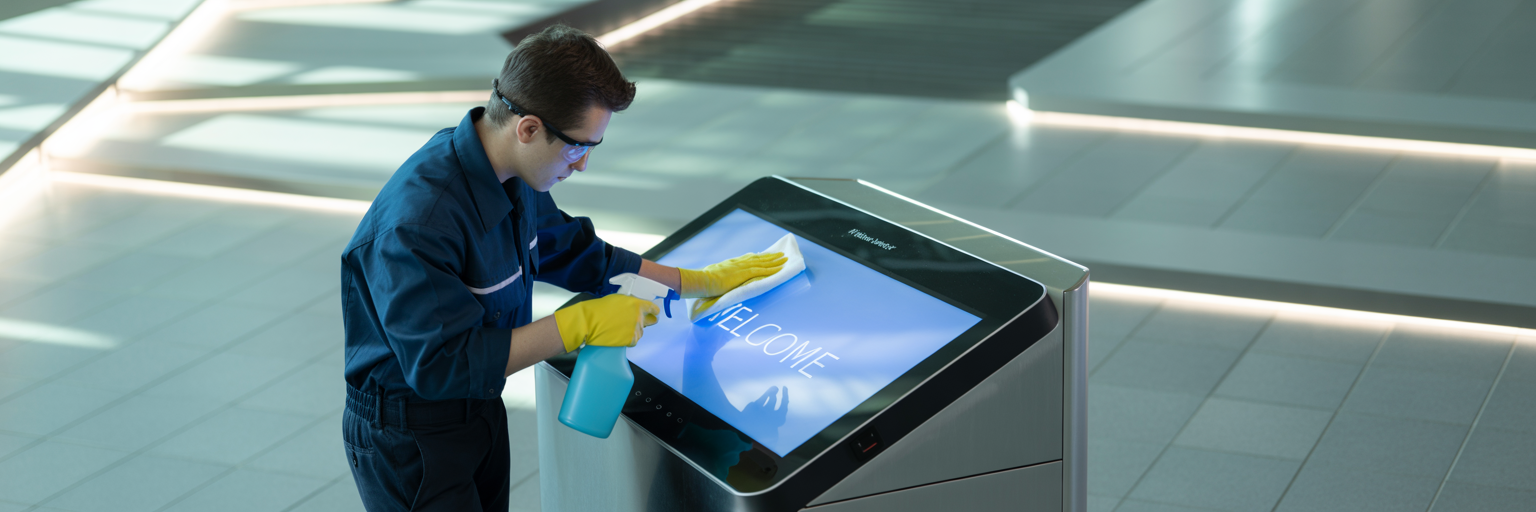
Cleaning Guidelines - Outdoor Displays
Introduction
Properly cleaning Message Point Outdoor Displays is essential to prevent finish or electronic damage and preserve the external finish of the enclosure. Using the correct techniques and chemicals is crucial to avoid causing harm to the sensitive components and materials of the display. For instance, harsh chemicals or abrasive cleaning tools can scratch the screen surface, leading to permanent damage that affects the display quality. Additionally, improper cleaning methods can strip away protective coatings, leaving the display vulnerable to environmental elements such as UV rays, moisture, and pollutants. By following the recommended cleaning guidelines, clients can ensure that the displays remain in pristine condition, both functionally and aesthetically.
The electronic components of outdoor displays are particularly susceptible to damage from improper cleaning. Moisture and cleaning solutions can seep into the enclosure if not applied correctly, potentially causing short circuits or corrosion of internal parts. This can lead to malfunctions or complete failure of the display, resulting in costly repairs or replacements. To prevent such issues, it is important to use cleaning techniques that minimize the risk of liquid ingress, such as using damp, not wet, cloths and avoiding spraying cleaning solutions directly onto the screen. Ensuring that the display is powered off and disconnected from any power sources before cleaning can also help protect the electronics from accidental damage.
Preserving the external finish of the enclosure is not only about maintaining the display's appearance but also about protecting its structural integrity. The enclosure serves as the first line of defense against environmental factors, and any damage to its finish can compromise its ability to shield the internal components. Regular cleaning with appropriate, non-abrasive materials helps to remove dirt and grime that can cause wear and tear over time. Additionally, using the right cleaning products can help maintain the protective coatings that prevent rust and corrosion. By taking these precautions, clients can extend the lifespan of their Message Point Outdoor Displays and ensure they continue to operate effectively in various outdoor conditions.
Preparation for Cleaning
It is highly recommended to shut down any Message Point Media Outdoor Digital Sign prior to cleaning, especially when using any spray process that could create airborne chemicals or water mist. This precaution is particularly crucial for air-cooled signage with fan-forced cooling systems. When the display is operational, the fans actively circulate air to cool the internal components, which can inadvertently draw in airborne particles from cleaning sprays. These particles can settle on sensitive electronic parts, leading to potential short circuits, corrosion, or other forms of damage. By powering down the display before cleaning, clients can prevent these risks and ensure that the cleaning process does not compromise the integrity of the electronic components.
Moreover, shutting down the display before cleaning helps to avoid any accidental damage that might occur from direct contact with cleaning solutions. When the display is off, there is no risk of electrical shock or interference with the cooling system's operation. This is particularly important for maintaining the longevity and performance of air-cooled signage, as the fans and cooling mechanisms are essential for preventing overheating. Ensuring that the display is completely powered down and disconnected from any power sources before cleaning allows for a safer and more effective maintenance process, preserving both the external finish and the internal functionality of the digital sign.
Cleaning External Display Powder Coated Metal Surfaces
Maintaining powder coated metal surfaces, such as those found in bus shelters along public roads, is essential for preserving their appearance and durability. The following guidelines synthesize best practices from industry sources:
Cleaning Frequency and Records
- Clean regularly, ideally every 3–4 months, or more often in high-traffic or polluted areas.
- For public installations, maintain detailed cleaning records, noting dates and products used. This helps track maintenance and ensures consistent care.
Cleaning Methods
- Pressure Washing:
- Use a low-pressure setting with filtered water to avoid damaging the coating or causing stains from minerals in unfiltered water.
- Avoid using water sources high in fluoride, sulfur, iron oxide, or chlorine, as these can stain the surface.
- Manual Cleaning (recommended):
- Use a soft cloth, sponge, or soft-bristled brush with a solution of mild, pH-neutral soap and warm water
- Gently rub the surface to remove dirt and debris. For stubborn spots, use a soft-bristled brush, but never abrasive pads or steel wool
- Rinse thoroughly with clean water to remove all soap residues
- Dry with a microfiber towel to prevent water spots
Cleaning Products
- Use only mild, pH-neutral detergents (pH 5 to 8)
- Avoid abrasive cleaners, polishes, or any cleaning agents containing ketones, esters, turpentine, white spirits, thinners, or citrus-based solvents, as these can damage the powder coating
- For tough stains, isopropyl alcohol or methylated spirits may be used on small areas, followed by rinsing with clean water
Environmental Considerations
- Clean when surface temperatures are below 25°C to avoid rapid drying that can leave residues
- In areas with heavy pollution, salt spray (e.g., coastal or roadside environments), or unusual environmental hazards, increase cleaning frequency and consult with MPM for specific advice
Damage and Repairs
- For minor scratches, gently sand and apply color matched touch up paint if possible. Do not use steel wool or abrasive pads
- Promptly remove concrete, paint, or plaster splashes before they dry, as removal later may require aggressive methods that can harm the coating
Summary Table: Key Do’s and Don’ts
| Do | Don’t |
|---|---|
| Use soft cloths, sponges, or soft-bristle brush | Use abrasive pads, steel wool, or harsh brushes |
| Use mild, pH-neutral detergents | Use aggressive solvents, ketones, esters, or citrus cleaners |
| Rinse with clean, filtered water | Use unfiltered tap or groundwater |
| Dry with microfiber towel | Leave surface wet or exposed to cleaning residue |
| Keep maintenance records | Neglect regular cleaning |
By following these guidelines, you can extend the service life and maintain the appearance of powder coated surfaces in public settings like bus shelters
Cleaning the External Powder Coating on Bus or Rail Mounted Mobile Displays
To ensure the longevity and optimal performance of the MPM Mobile Displays on buses and rail cars, it is essential to follow proper cleaning guidelines for the powder-coated exterior surfaces. The process is similar to the outdoor displays above but carries some unique risks. Given that these displays have open air vents, it is crucial to prevent any cleaning solution from entering these vents to avoid potential damage to the internal components. Here are the recommended steps for cleaning the exterior surfaces:
Routine Cleaning Steps
- Power Down the Display: Before beginning the cleaning process, ensure that the display is completely powered down and disconnected from any power sources. This precaution helps to avoid any electrical hazards and protects the internal electronics from accidental damage.
- Use a Damp Cloth: For cleaning the powder-coated exterior surfaces, use a soft, damp cloth. Avoid using any cleaning solutions, sprays, or abrasive materials that could damage the finish or seep into the open air vents. The damp cloth should be lightly moistened with water or a solution of 70% water and 30% isopropyl alcohol, ensuring it is not dripping wet.
- Gentle Wiping: Gently wipe the exterior surfaces with the damp cloth, paying special attention to avoid the open air vents. Clean in a smooth, circular motion to remove any dirt, dust, or grime without applying excessive pressure. If necessary, use a second dry cloth to remove any remaining moisture from the surface.
By following these recommendations, you can effectively clean the powder-coated exterior surfaces of the MPM Mobile Displays while preventing any cleaning solution from entering the open air vents. This approach helps to maintain the display's appearance and functionality, ensuring it continues to operate efficiently in various mobile environments.
Cleaning Cover Glass on Outdoor and Mobile Displays
Proper cleaning of the protective cover glass on outdoor LCD digital signage is essential to maintain visibility, prevent damage, and preserve the effectiveness of any anti-reflective (AR) or anti-glare (AG) surface coatings. The following guidelines summarize best practices and special precautions:
Routine Cleaning Steps
- Use a soft, clean microfiber cloth for all cleaning. Microfiber is gentle and effective at removing dust and smudges without scratching the surface.
- If needed, you can dampen the microfiber cloth with distilled water or a solution of distilled water and a small amount of isopropyl alcohol (recommended ratio: 70% water, 30% alcohol). Do not use the cloth soaking wet.
- Gently wipe the glass in straight, vertical or horizontal strokes. Avoid circular motions, which can leave streaks.
- For stubborn spots or for deep cleaning, use a cleaning solution specifically designed for screens or AR/AG coatings. Always follow the manufacturer's instructions for any cleaning product used. An example product is WHOOSH!
- After cleaning, use a dry microfiber cloth to remove any remaining moisture and ensure the glass is completely dry before powering the display back on.
Disinfection
- For sanitizing, use 70% isopropyl alcohol applied to a microfiber cloth (never directly on the glass)1. Gently wipe the surface to disinfect.
- Avoid excessive moisture and ensure no liquid seeps into the edges or seams of the display.
Special Precautions for AR/AG Coated Glass
- Avoid Harsh Chemicals: Do not use ammonia-based cleaners, strong solvents, or abrasive cleaning agents. These can degrade or strip away AR or AG coatings.
- No Abrasive Materials: Never use paper towels, tissues, or rough fabrics, as these can scratch the delicate coatings. Only use microfiber or lens-specific cleaning cloths.
- No Direct Spraying: Never spray cleaning solutions directly onto the glass. Always apply to the cloth first to prevent liquid ingress and streaking.
- Temperature: Use only lukewarm or room-temperature water. Hot water can damage coatings; cold water may not clean effectively
- Gentle Pressure: Do not press hard on the glass. Excessive pressure can damage the coating or the display itself.
- Dry Cleaning: Never attempt to clean the glass when it is dry and dusty, as this can grind particles into the coating and cause micro-scratches.
Summary Table: Do’s and Don’ts
| Do | Don’t |
|---|---|
| Use microfiber cloth | Use paper towels, tissues, or rough fabrics |
| Dampen cloth with distilled water or AR-safe cleaner | Use ammonia, strong solvents, or abrasive cleaners |
| Wipe gently in straight lines | Press hard or use circular motions |
| Apply cleaning solution to cloth, not glass | Spray liquid directly on the display |
| Use lukewarm or room-temperature water | Use hot water or clean when glass is dry |
Additional Tips
- Clean the display regularly to prevent buildup of dirt and smudges, which are more visible on AR/AG surfaces.
- Wash microfiber cloths frequently to avoid transferring dirt or oils back onto the glass.
- For displays in high-traffic or outdoor environments, increase cleaning frequency and inspect for damage to coatings.
By following these guidelines, you will help maintain the clarity, effectiveness, and lifespan of your outdoor digital signage’s protective cover glass, especially when AR or AG coatings are present.
Cleaning the Front Surface of LED Displays without Cover Glass or Polycarbonate Protection
To safely remove dirt and protect the mask and SMD LED chip coatings on outdoor full matrix color LED display modules, follow these expert-backed guidelines:
Power Down and Safety First
- Always power off and unplug the display before cleaning to prevent electric shock and protect sensitive components.
Dry Dust Removal
- Use a soft brush or a low-suction vacuum cleaner to gently remove loose dust and debris from the screen surface and edges.
- Avoid hard brushes and tools that generate static electricity.
Cleaning Solution Selection
- Use a professional LED display cleaning agent designed for electronics, typically containing deionized water, non-ionic surfactants, and anti-static additives.
- Alternatively, Dish soap mixed with high-purity distilled water can be used to clean the surface of cured Epoxy AB Glue on LED displays for general dirt and grime, as long as the glue is fully cured and you use a soft, non-abrasive cloth or sponge. Dish soap is a mild, non-aggressive cleaner and does not contain harsh chemicals like ammonia or solvents, which could damage the epoxy or surrounding display components.
- Do not use any soap or cleaner that contains alcohol, ammonia, acetone, or acidic/unknown chemicals, as these can damage the mask and protective coatings.
Wet Cleaning Procedure
- Lightly spray the cleaning solution onto a lint-free microfiber cloth-never directly onto the screen.
- Gently wipe the surface in one direction using the slightly damp cloth. Avoid excessive moisture and dripping.
- For stubborn spots, use a soft brush with minimal cleaning solution, taking care not to dislodge or damage the LEDs.
- For edges and small gaps, use cotton swabs or soft brushes with minimal moisture.
Drying
- After wet cleaning, use a dry microfiber cloth to remove any remaining moisture.
- Optionally, use a handheld vacuum or cold-air blower to remove droplets from hard-to-reach areas.
- Allow the screen to air dry completely before reconnecting power.
Special Precautions for SMD LED Chips and Protective Coatings
- Avoid excessive pressure that could damage the LED mask or dislodge SMD chips.
- Do not use abrasive materials or solvents that could degrade the protective coatings.
Frequency and Environmental Considerations
- Clean outdoor displays every 3-6 months, or more frequently in dusty, polluted, or coastal environments.
Summary Table: Key Do’s and Don’ts
| Do | Don’t |
|---|---|
| Power off and unplug before cleaning | Clean while powered on |
| Use soft brushes, microfiber cloths, and LED-safe agents | Use hard brushes, paper towels, or abrasive pads |
| Spray cleaning solution onto cloth, not screen | Spray liquid directly onto the display |
| Use only professional or distilled water-based cleaners | Use alcohol, ammonia, acetone, or unknown chemicals |
| Wipe gently in one direction | Apply excessive pressure or scrub aggressively |
| Let the screen dry completely before powering on | Leave moisture on the display or reconnect while wet |
By following these guidelines, you’ll effectively clean your outdoor LED display while preserving the integrity of the mask and SMD LED chip coatings.
Cleaning Recommendations for Graffiti Shield Screen Protectors or Similar Film Protectors
Graffiti protection films like Graffiti Shield are designed to provide a sacrificial, easily replaceable barrier against vandalism for outdoor digital signage. To maintain their effectiveness and longevity, these films require specific cleaning and graffiti removal procedures:
Routine Cleaning Guidelines
- Use a soft, non-abrasive microfiber cloth or a clean synthetic sponge for general cleaning.
- Apply only gentle, ammonia-free cleaners. Ammonia-based products, strong solvents (acetone, alcohol), and abrasive pads or brushes can damage or cloud the film and should be strictly avoided.
- If needed, use a mild, neutral pH (around 7) cleaner diluted in water. Always follow the manufacturer's instructions for cleaning products.
- Wipe gently; do not press hard or scrub, as excessive force can scratch or degrade the film.
Graffiti Removal Procedures
- Use only graffiti removers specifically recommended by the film manufacturer (such as Graffiti Shield Cleaner or DISAPPEAR Organic Graffiti/Adhesive Remover).
- Apply the remover to the affected area and allow it to dwell for the specified time (typically 5–15 minutes).
- Do not use abrasive pads or brushes. Remove graffiti with a soft cloth or, if specified, a pressure washer set to moderate pressure (2000–2500 psi) for tough marks.
- Rinse thoroughly with clean water after graffiti removal.
- Repeat the process if necessary, but always test a small inconspicuous area first to ensure compatibility.
Aftercare and Film Maintenance
- After approximately 30–40 graffiti cleanings, the film’s protective properties may diminish and reapplication or replacement of the film is recommended.
- If you notice any change in the film’s appearance after cleaning, reapply a new coat or section of the graffiti protection film as needed to maintain seamless protection.
- Remove new graffiti as soon as possible (ideally within 2–3 days) to maximize removal success and minimize potential staining.
Summary Table: Do’s and Don’ts
| Do | Don’t |
|---|---|
| Use microfiber or soft synthetic cloths | Use abrasive pads, brushes, or paper towels |
| Use gentle, ammonia-free, neutral pH cleaners | Use ammonia, acetone, alcohol, or strong solvents |
| Use manufacturer-approved graffiti removers | Use unapproved chemicals or harsh graffiti removers |
| Wipe gently and rinse thoroughly | Scrub or press hard |
| Replace film after 30–40 graffiti removals | Leave graffiti on film for extended periods |
By following these guidelines, you will protect the integrity and clarity of the graffiti protection film, ensuring that your outdoor digital signage remains clean, professional, and easy to maintain.
Special Cleaning Requirements for Polycarbonate Screen Protective Covers
Polycarbonate covers are widely used for outdoor digital signage due to their impact resistance and clarity, but they require specific cleaning methods to avoid scratching, clouding, or degrading the material.
Recommended Cleaning Procedures
- Initial Rinse:
Rinse the surface with clean, lukewarm water to remove loose dirt, grit, and debris. This step prevents scratching during subsequent cleaning. - Mild Soap Solution:
Mix a few drops of mild, ammonia-free liquid soap (such as dish soap) with warm water. Using a soft microfiber cloth or a clean synthetic sponge, gently wash the polycarbonate surface. - Stubborn Dirt or Sticky Substances:
For tougher grime, use a 50/50 mixture of isopropyl alcohol and water. Dampen a microfiber cloth with the solution and gently rub the affected area. Rinse thoroughly with lukewarm water afterward. - Drying:
Dry the surface immediately with a clean, soft microfiber cloth. Wipe in an up-and-down motion rather than circular or side-to-side to minimize streaks and spotting.
Special Precautions
- Avoid Abrasives:
Never use paper towels, rough towels, newspaper, or abrasive pads, as these can scratch the polycarbonate surface. - No Ammonia or Harsh Chemicals:
Do not use cleaners containing ammonia, acetone, or other harsh solvents, as these can cause clouding, cracking, or discoloration of the polycarbonate. - No Dry Wiping:
Never wipe the polycarbonate when dry or with your hand, as this can grind dust into the surface and cause micro-scratches. - No Direct Sunlight or Heat:
Avoid cleaning with solvent-based solutions in hot weather or direct sunlight, as this can accelerate damage to the material. - Use Distilled Water:
If possible, use distilled water to avoid mineral deposits or streaks, especially in areas with hard tap water.
Additional Tips
- Clean regularly to prevent buildup of dirt and grime, which can be harder to remove and may stain the polycarbonate if left unattended.
- For adhesive or sticker residue, use isopropyl alcohol or kerosene with lukewarm water, then rinse and dry thoroughly.
- Always follow the manufacturer’s care instructions for the specific polycarbonate product if available.
Summary Table: Do’s and Don’ts
| Do | Don’t |
|---|---|
| Use microfiber or soft synthetic cloths | Use paper towels, abrasive pads, or rough fabrics |
| Clean with mild, ammonia-free soap and water | Use ammonia, acetone, or harsh solvents |
| Rinse with lukewarm water before and after cleaning | Wipe when dry or with bare hands |
| Dry with a clean microfiber cloth in up-and-down motion | Clean in direct sunlight or hot conditions |
| Use distilled water if possible | Leave moisture or residue to dry on the surface |
By following these guidelines, you will maintain the clarity and longevity of your polycarbonate screen protective covers, ensuring optimal performance and appearance for your outdoor digital signage.